Peptide reconstitution calculator: Lab Station
Lab Station is the peptide reconstitution calculator in the ShotLog app. It takes four numbers: syringe size, vial size, bacteriostatic water and dose. It shows how many syringe units to draw. A second mode runs the same math backward and shows how much water to add. Lab Station and the peptide library, named Lab References in the app, are free to use without Pro.
Lab Station does the math only. The amounts you enter are up to you.
Where to find Lab Station
- Open the menu and tap Lab Studio.
- Tap Lab Station.
Lab Station runs in the Android app and the web app at app.shotlogapp.com. If the Lab Station row is grayed out in the iPhone app, tap it for a notice that explains why. It still works on the web. Sign in at app.shotlogapp.com with the same account.
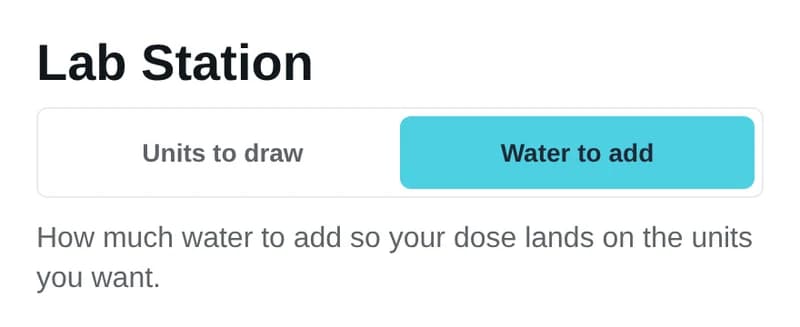
A toggle under the title switches between two modes: Units to draw and Water to add. Lab Station opens on Units to draw.
What each input means
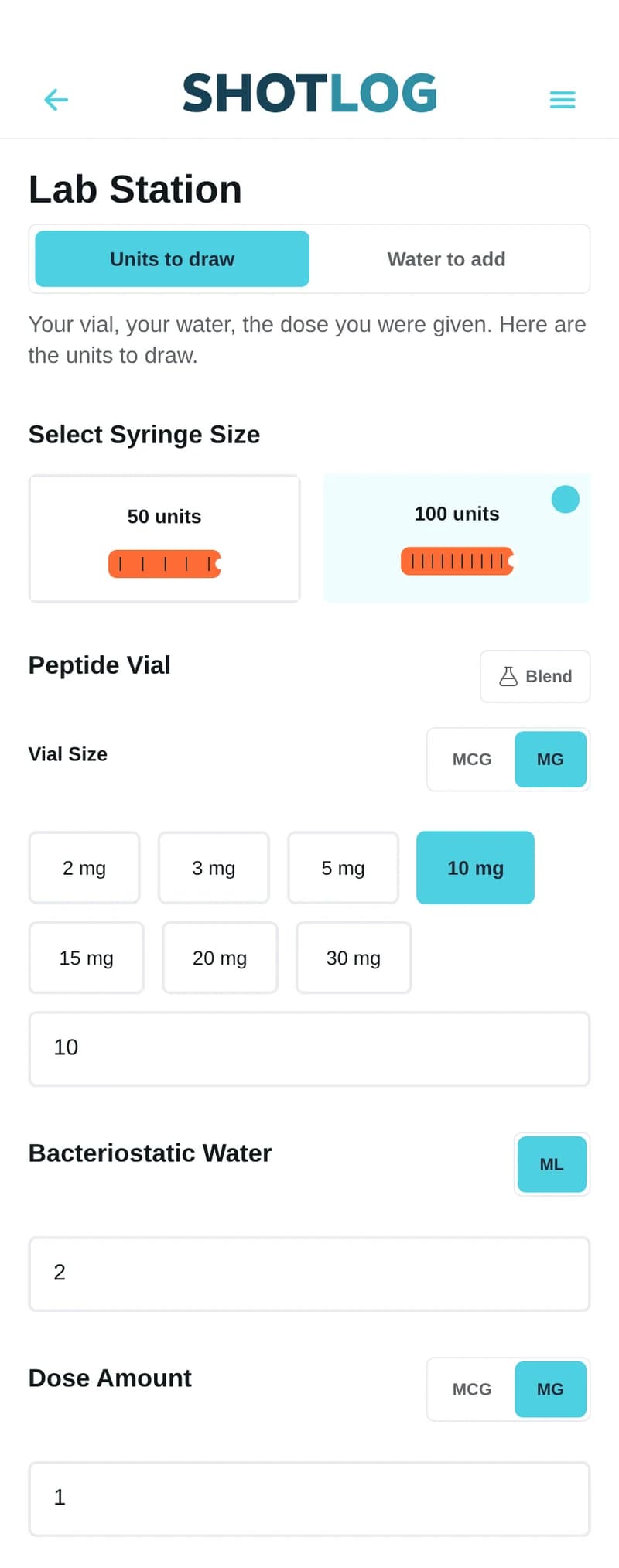
- Select Syringe Size: 50 units or 100 units. These match U-50 and U-100 insulin syringes.
- Vial Size, under Peptide Vial: the amount in the vial. Switch between MCG and MG, tap a preset or type your own number.
- Bacteriostatic Water: the volume you added to the vial, in mL.
- Dose Amount: the amount per dose, in MCG or MG.
- Blend: turn this on for a vial that holds more than one peptide. Simple takes one Total Blend Content number. Detailed takes each peptide and its amount.
In a Detailed blend, the dose you enter applies to the peptide with the largest amount. The others follow in proportion.
The math Lab Station does
- It converts mcg to mg by dividing by 1,000.
- Concentration in mg per mL = vial amount / water volume.
- Insulin syringes are marked at 100 units per mL, so mg per unit = concentration / 100.
- Units to draw = dose / mg per unit.
- Doses in the vial = vial amount / dose.
A U-50 syringe uses the same scale of 100 units per mL. It holds half as much, so the unit number is the same on both. If the answer is more than the syringe holds, the Results card shows a capacity warning.
The app rounds units to one decimal place and doses per vial to two. Concentration shows to one decimal in mg/mL and three decimals in mg/unit.
A worked example of the arithmetic
The numbers below are round on purpose and show arithmetic only. Do not treat them as a dose to use.
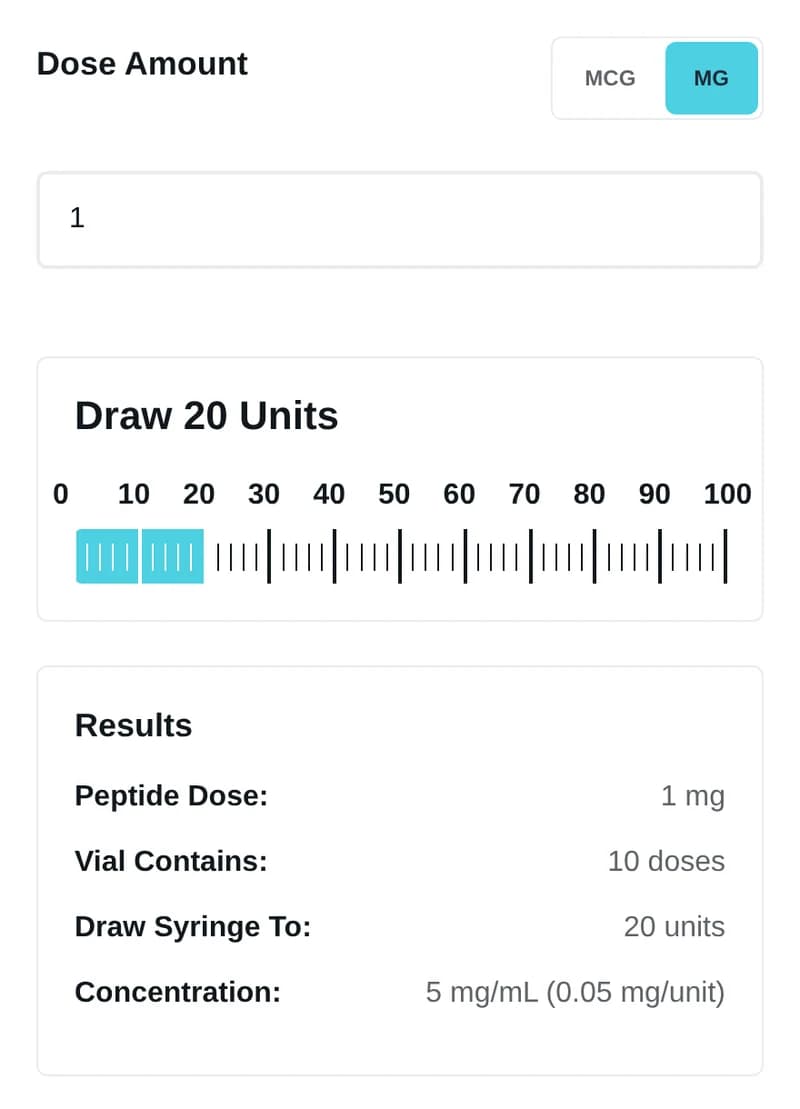
Say the vial holds 10 mg, you added 2 mL of water, and the dose entered is 1 mg.
- Concentration: 10 / 2 = 5 mg/mL.
- Per unit: 5 / 100 = 0.05 mg/unit.
- Units to draw: 1 / 0.05 = 20 units.
- Doses in the vial: 10 / 1 = 10 doses.
How Water to add works
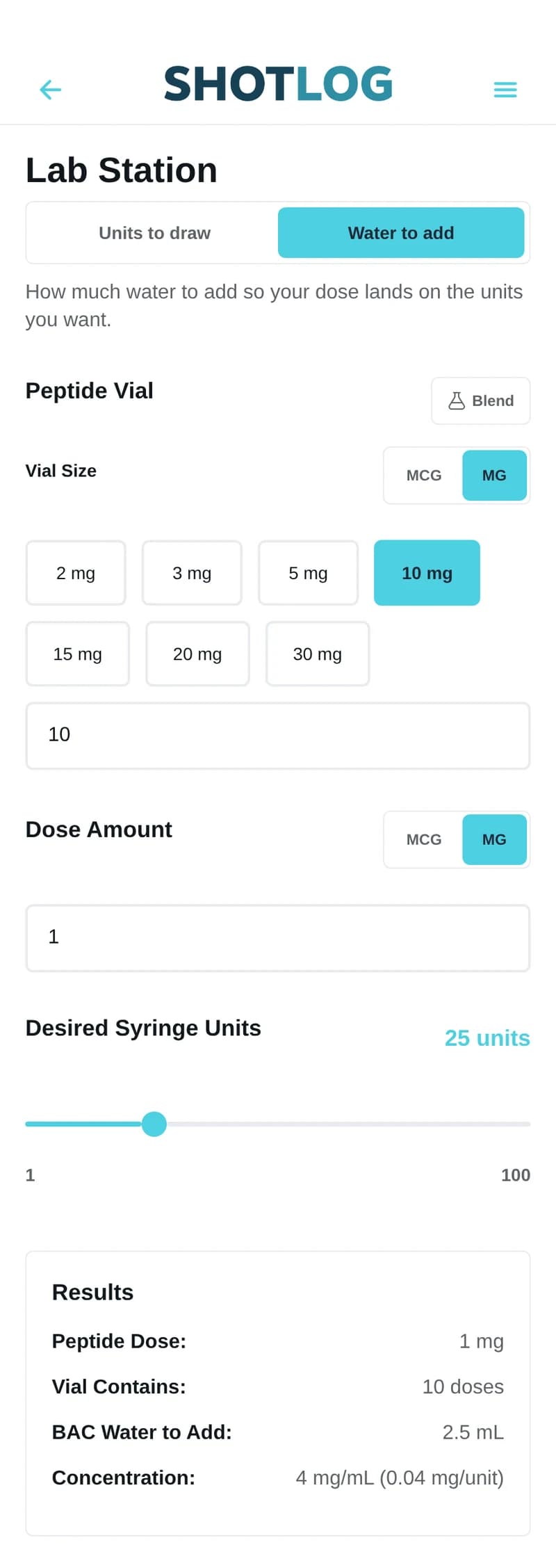
Water to add starts from the units you want to draw. Enter Vial Size and Dose Amount, then set the Desired Syringe Units slider, from 1 to 100.
Water to add = (vial amount / dose) x (desired units / 100), rounded to two decimals. With the example numbers and 25 units, that is 10 x 0.25 = 2.5 mL.
How to save a setup
- Tap Save Setup.
- Type a name and tap Save.
- Tap the menu icon at the top right to open Saved Setups.
- Tap a saved setup to load it.
What ShotLog Pro adds
With ShotLog Pro, a Use These Values button sends the result into a new protocol. Pro starts with a 30-day free trial.
Common questions
How do I work out units on a U-100 syringe?
Divide the vial amount by the water volume. Divide the dose by that number and multiply by 100.
Does Lab Station tell me what dose to use?
No. It does arithmetic on the numbers you type. The dose and the water volume are up to you.
Get the ShotLog app
Lab Station runs in ShotLog for Android on Google Play and in your browser at app.shotlogapp.com. ShotLog for iPhone is on the App Store. If Lab Station is grayed out there, open the web app with the same account.
Related guides
For research use only. Not for human or animal therapeutic, clinical, or diagnostic use. Not FDA-approved.